Learnova.
Your learning, connected.
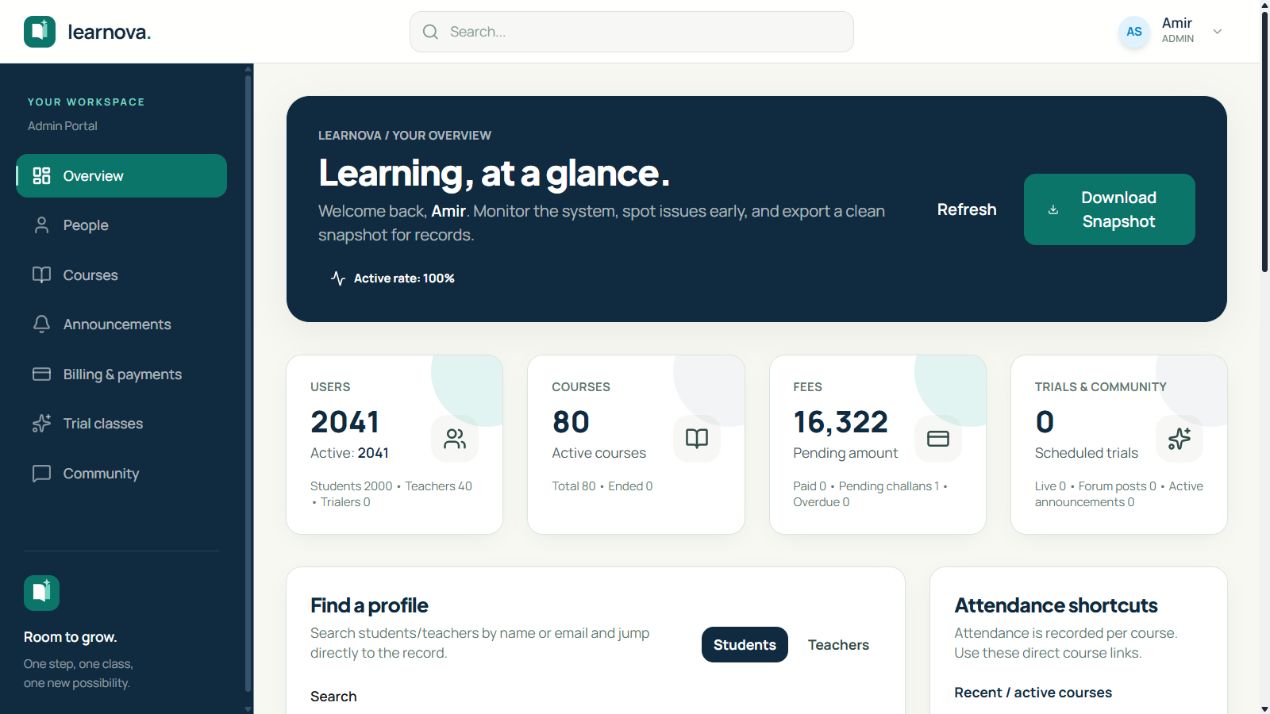
The classroom and its administration, in one workspace.
A learning management platform connecting students, teachers, and administrators through courses, assessments, attendance, enrollments, fee records, and community discussions.
- Student, teacher, and administrator dashboards
- Assignments, quizzes, grading, and lecture progress
- Attendance, enrollment, and fee verification workflows
What’s inside.
Learning workspace
Courses, recorded lectures, materials, announcements, and learning progress.
Assessments & feedback
Assignment submissions, quizzes, teacher grading, and student results.
Academic administration
Enrollments, rosters, attendance records, schedules, and user roles.
Fee records
Invoices, receipt uploads, and administrative verification of partial or full payments.
Schedules & announcements
Course timetables, extra sessions, meeting links, and announcements keep learners up to date.
Trials & community
Trial-session requests and approvals, with a community forum for posts, comments, and replies.
Connected by design.
Connect learning activity with the course and enrollment records it belongs to.
Let students, teachers, and administrators work with shared information through tailored interfaces.
Learners
Find coursework, submissions, feedback, and schedules.
Teachers & administrators
Coordinate teaching, assessment, and enrollment.
From start to finish.
- 01
An administrator creates courses, assigns teachers, and enrolls students.
- 02
Teachers publish lectures, materials, announcements, assignments, and quizzes.
- 03
Students follow their timetable, work through course content, and submit assessments.
- 04
Teachers review submissions, provide grades and feedback, and record attendance.
- 05
Administrators manage enrollment, invoices, receipt verification, and learning access.
Try it for yourself.
Open the Live demo link above and sign in with prepared student, teacher, or administrator demo access. Shared demo passwords are not published here. The workspace uses fictional teaching and payment records; receipts demonstrate administrative verification, not real payment processing.
- As a student, explore the dashboard, timetable, announcements, and an enrolled course.
- Play a lecture, review progress, and open course materials.
- Submit a sample assignment or try an available quiz, then review results and feedback.
- As a teacher, inspect the course roster, mark attendance, and review or grade submitted work.
- As an administrator, explore enrollments, fee records, trial requests, and user management using fictional records.